For CAs and CA firms in India
AI bookkeeping and compliance for CA firms in India
CABookkeeper is practice software for Chartered Accountants in India: every client's statutory calendar, document collection, auto-filled forms, review, filing and billing on one desk, with bank statements and GST invoices turned into Tally-ready vouchers underneath. It covers every kind of client, from a salaried person's ITR to a company's PF, GST and ROC filings, and its AI runs on our own servers in India. It is free for your first 3 months with everything unlocked; after that you pay only for what you use, at our cost, with no markup.
No card needed. After 3 months, pay only for what you use.
See it in 65 seconds
A narrated walk through the dashboard, your clients, the compliance desk, calculators, the filing status grid and fee invoices. More on the tour page.
Read the transcript
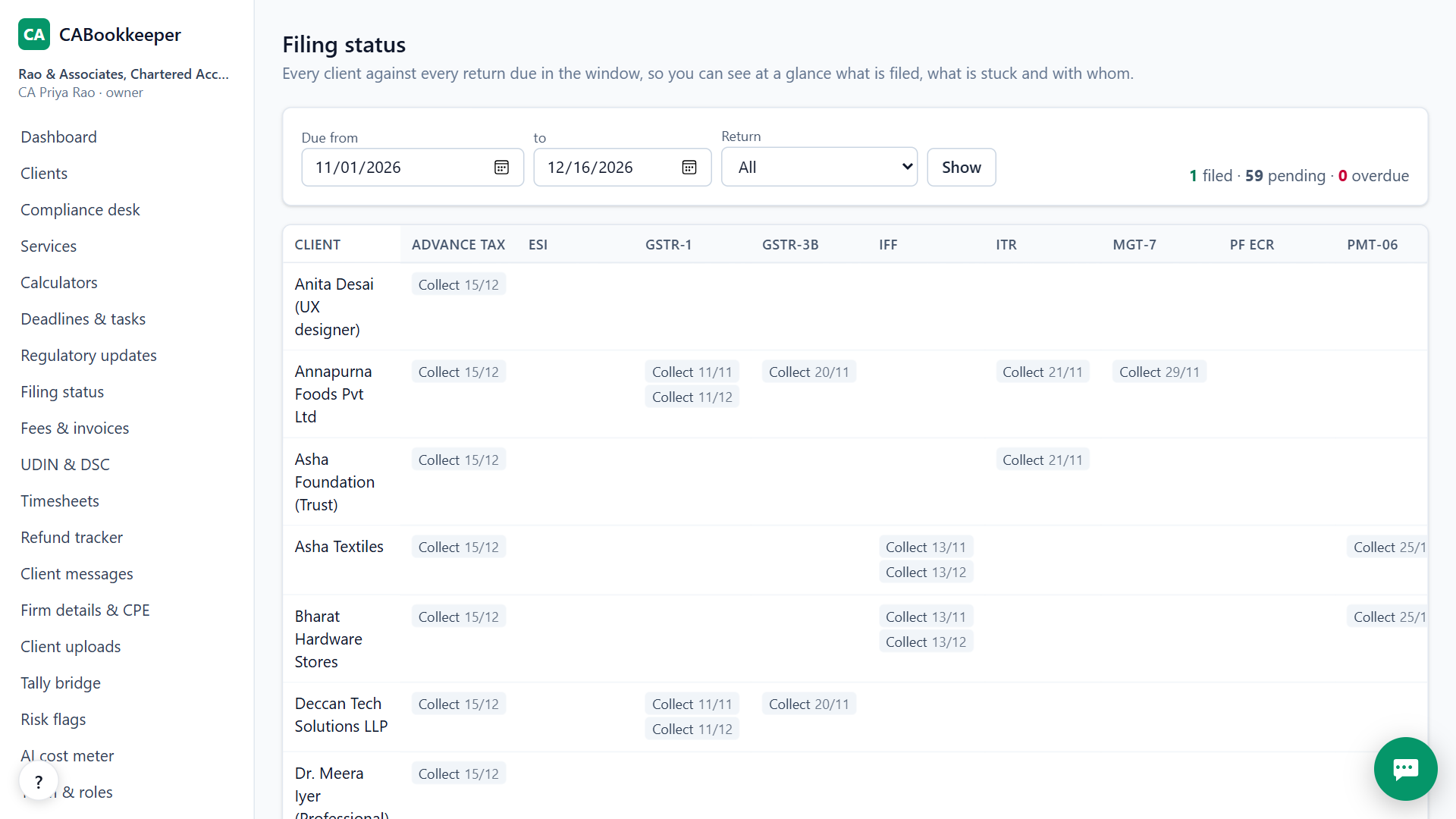
Every month you chase documents and due dates for GST, TDS, PF and ROC across dozens of clients, on spreadsheets and WhatsApp. CABookkeeper puts your whole practice in one place. Sign up with your name, email and a password. No card is needed. On your first steps page, add your own client, or press Try with an example to see a result in under a minute. Upload a bank statement as a PDF, Excel or CSV file. Every line is checked against the running balance and matched to a ledger, ready to import into Tally. The dashboard shows what is due, what is waiting for your review, and risk flags in the books. The compliance desk runs every filing the same way: collect documents, fill the form, review, approve and file. The filing status grid shows every client against every return: filed, in review, or still waiting for documents. When the work is filed, raise GST invoices for your fees and track every payment. Free for your first 3 months. Then you pay only for what you use. Start at cabookkeeper.com.
Who it's for
A CA in a small or mid-sized practice
who wants to stop missing due dates across 50 to 500 clients.
“I track GST, TDS, PF and ROC dates for every client on an Excel sheet, and something still slips.”
An article assistant or staff accountant
who wants to get bank statements and invoices into Tally without typing every line.
“I spend days typing bank statement lines into Tally and fixing ledger names.”
A partner of a growing firm
who wants to see who is doing what, approve filings properly and bill every job.
“I can't see which filings are stuck, who prepared them, or which work we never billed.”
It handles every kind of client: salaried people, NRIs, families, traders, companies, startups, trusts and NGOs.
How it works
 1
Add your clients
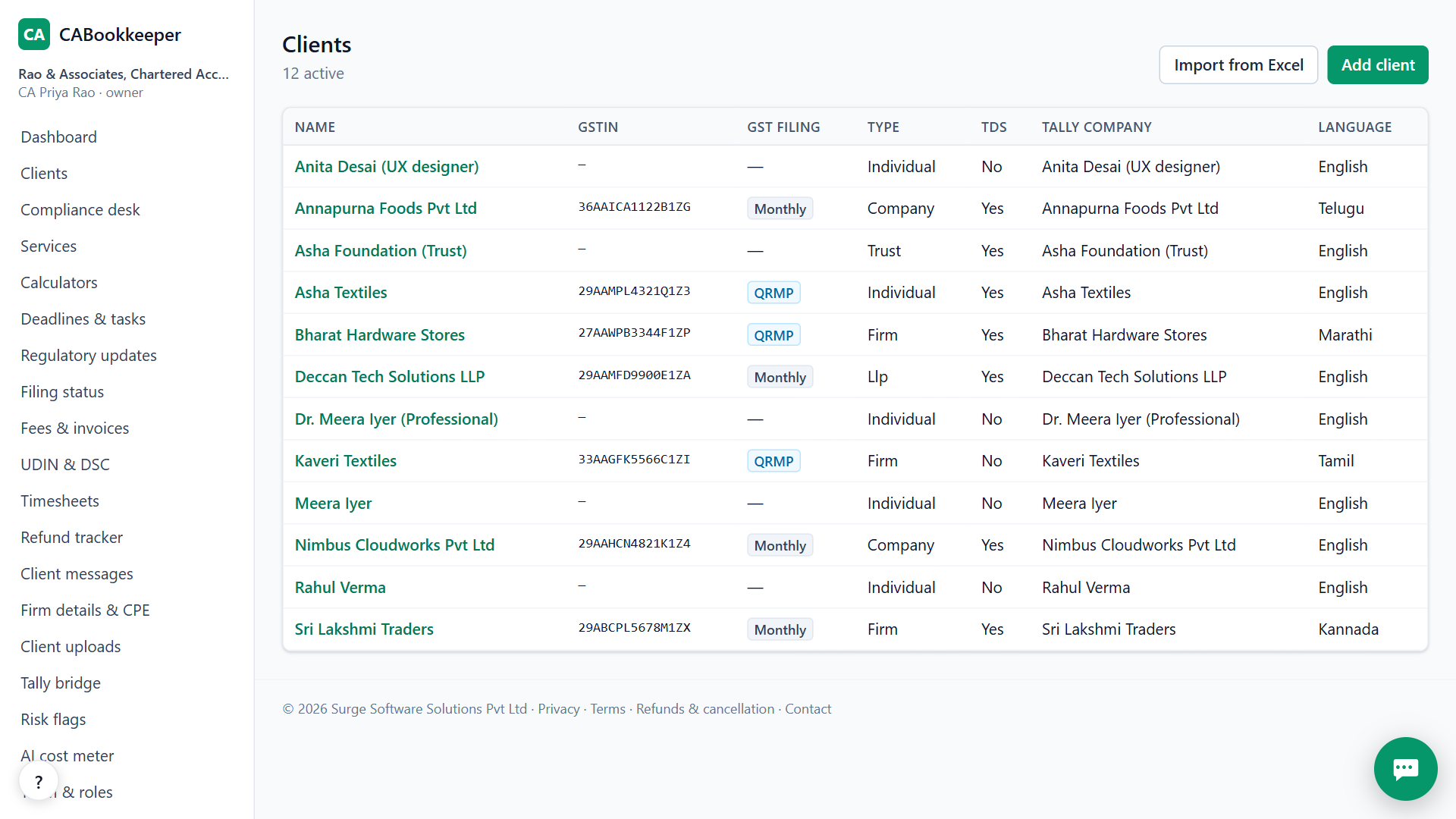
Type the name, GSTIN or PAN and answer a short profile. The 12-month statutory calendar builds itself. You can also import your whole client list from Excel.
 2
Collect and fill
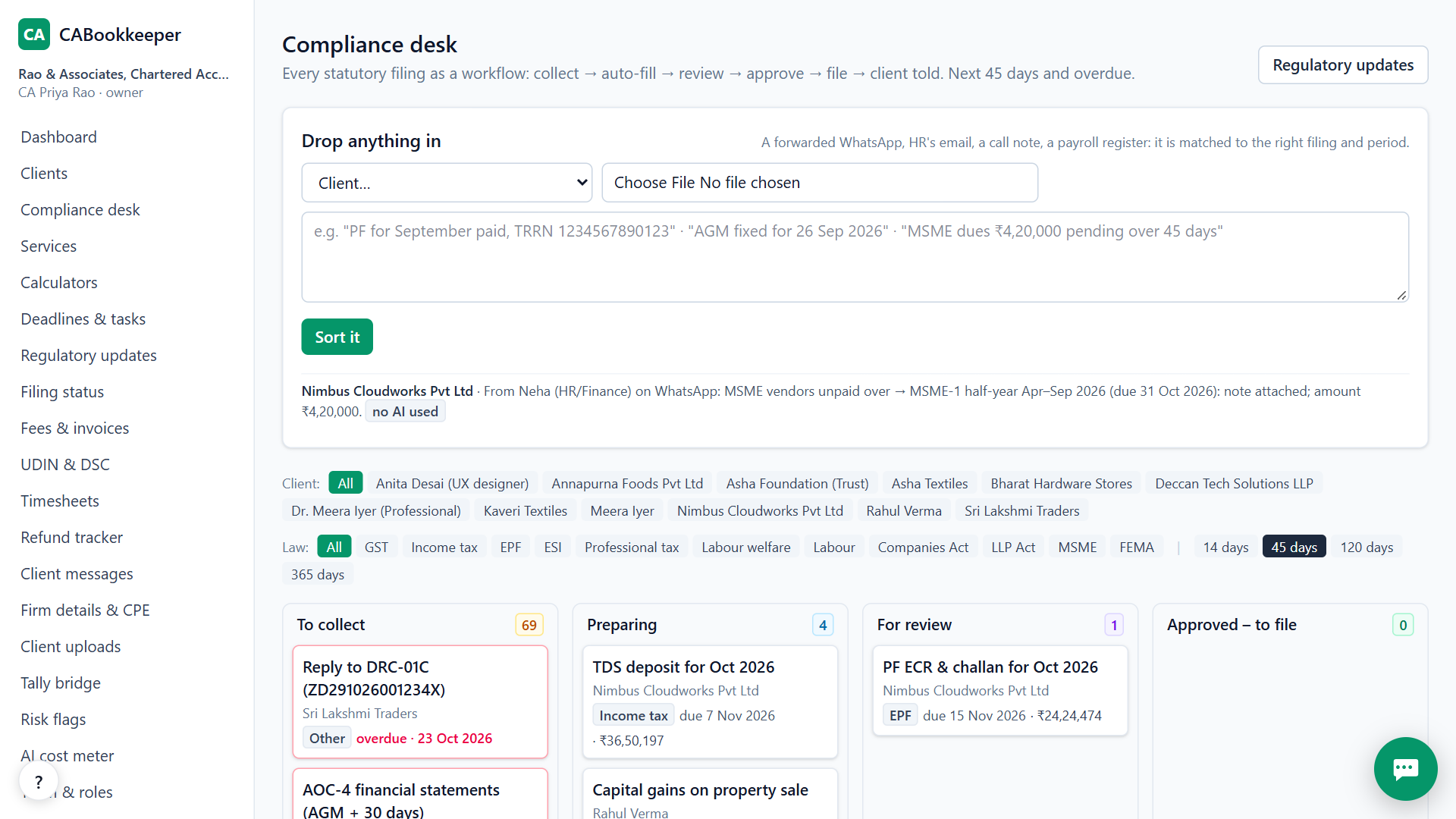
Clients upload documents through a secure link. Bank statements, invoices and payroll registers fill the vouchers and the GST, TDS, PF and ESI drafts.
 3
Review, file and bill
A second person approves with a checklist. You file on the government portal, the client is told, and the work lands in “not billed yet”.
What you get
A calendar for every client
GST, TDS, advance tax, ITR, PF, ESI, PT, ROC and trust filings with due dates, so nothing slips.
Bank statements to Tally
PDF, Excel or CSV statements become checked vouchers. Each line is matched to a ledger, and corrections are remembered. Download the Tally XML file.
GST and TDS workings
GSTR-2B matched with the books, input tax credit at risk in rupees, GSTR-1 file, GSTR-3B working, TDS checks and Form 26AS match.
Forms that fill themselves
One payroll register fills PF (with the upload file), ESI, professional tax and salary TDS. The ITR computation compares both tax regimes.
Proper review
Whoever prepared a filing can't approve it. Checklists and a history of every change that nobody can edit.
Notice replies drafted
Paste a GST or income-tax notice and get a draft reply with the client's own figures, for you to check and sign.
Run your own practice
GST fee invoices, timesheets, refund tracker, UDIN and DSC registers, a document vault and client messages.
Invoice photos read by AI beta
Photos and scanned invoices are read by AI on our own server. Text PDFs are read without AI.
Not yet: filing directly on government portals, WhatsApp sent from our server, and Indian-language client chat. Everything it does, in the docs · Use cases
Free for your first 3 months. Then pay only for what you use, at our cost — no markup. Monthly plans coming soon.
See exactly what things costCompared with Vyapar TaxOne (Suvit)
| CABookkeeper | Vyapar TaxOne (Suvit) | |
|---|---|---|
| Price | Free for 3 months, then pay for what you use, at cost | ₹7,000 a year + GST |
| Bank statements and invoices into Tally | Yes | Yes |
| GSTR-2B matching | Yes, with ITC at risk in rupees | Yes |
| Compliance calendar and tasks | Yes, PF, ESI and ROC included | Yes |
| Notice-reply drafts | Yes | Not listed |
| Ask your books in plain words | Yes | Not listed |
Their column is from their public pages, checked 24 Oct 2026. “Not listed” means we didn't find it there, not that they can't do it.
Questions people ask
Is it really free?
Yes, for your first 3 months from the day you sign up. Every feature is unlocked, with no limit on clients or staff, and the paid engines (cloud AI fallback, voice, WhatsApp) are included too.
What happens after 3 months?
You move to pay-per-use. Each AI step, voice note or WhatsApp message is paid from a prepaid wallet at what it costs us, with no markup. Work that runs on rules alone, like the calendar and the Tally download, keeps working. We email you 2 weeks, 6 days and 1 day before.
Do I need a card?
No. You sign up with your name, email and a password, or with Google. You add money to the wallet only when you want to, after the free period.
Do I still need Tally?
Yes. CABookkeeper sits on top of Tally Prime. It prepares the ledgers and vouchers, and you import the Tally XML file (Gateway of Tally, then Import). Tally stays your ledger.
Can it file returns on the government portals?
Not yet. It prepares the return, the JSON or upload file and the working, and you upload it on the GST, income-tax, TRACES, EPFO, ESIC or MCA portal. You then record the acknowledgement and the client is told.
Is my data safe?
Each firm's data is kept apart, staff see only the clients assigned to them, portal logins are stored encrypted, and every change is in a history nobody can edit. The AI runs on our own servers first, and client data is never used to train models.
Which kinds of client does it handle?
Salaried people, pensioners, freelancers, NRIs, families and HUFs, shops and traders, firms, LLPs, companies, startups, trusts, NGOs and co-operative societies.
Who is behind CABookkeeper?
Surge Software Solutions Pvt Ltd, Bengaluru. The founder is Venu Gopal Reddy Muvva.
Can I talk to a person?
Yes. Ask the assistant in the corner first. If it doesn't have a confirmed answer, leave your email and the founder replies, usually within 10 hours. If he can't, the assistant sends you its best answer by then. You can also write to [email protected].
Try it on your own clients
Questions? Ask our assistant (bottom right) — it answers 24/7.