Use cases · for ca firms filing gst for dozens of traders and companies
How to track GST due dates for many clients at once
Last updated 1 November 2026 · by Venu Gopal Reddy Muvva, founder
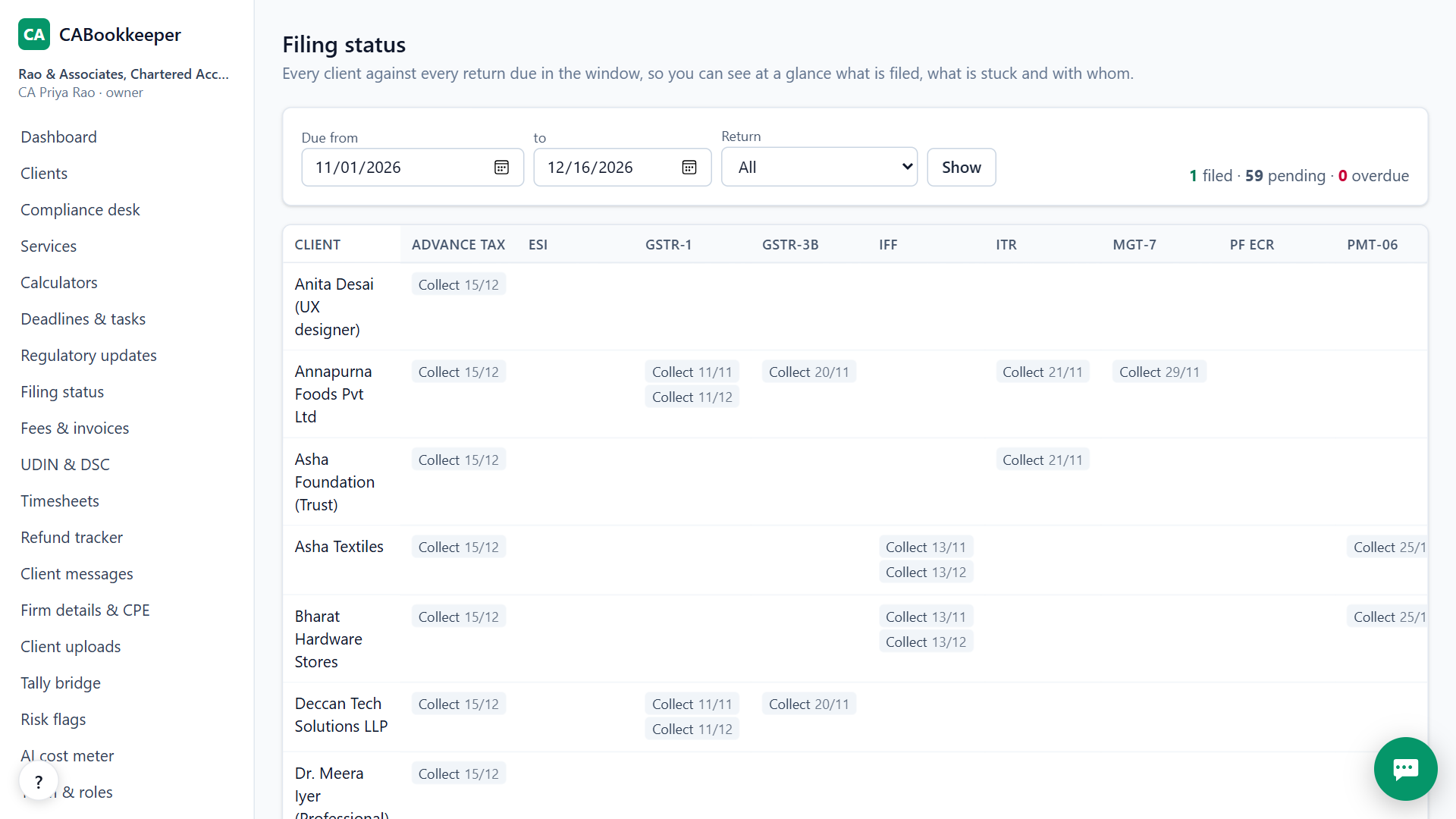
Set each client's GST filing frequency once (monthly or QRMP) and CABookkeeper puts the right GSTR-1, GSTR-3B, IFF, PMT-06 and GSTR-9 dates on its calendar. The dashboard shows what is due and what is waiting for review, the filing status grid shows every client against every return, and reminder emails go out 3 days before each date.
Steps in CABookkeeper
1. Set the GST frequency
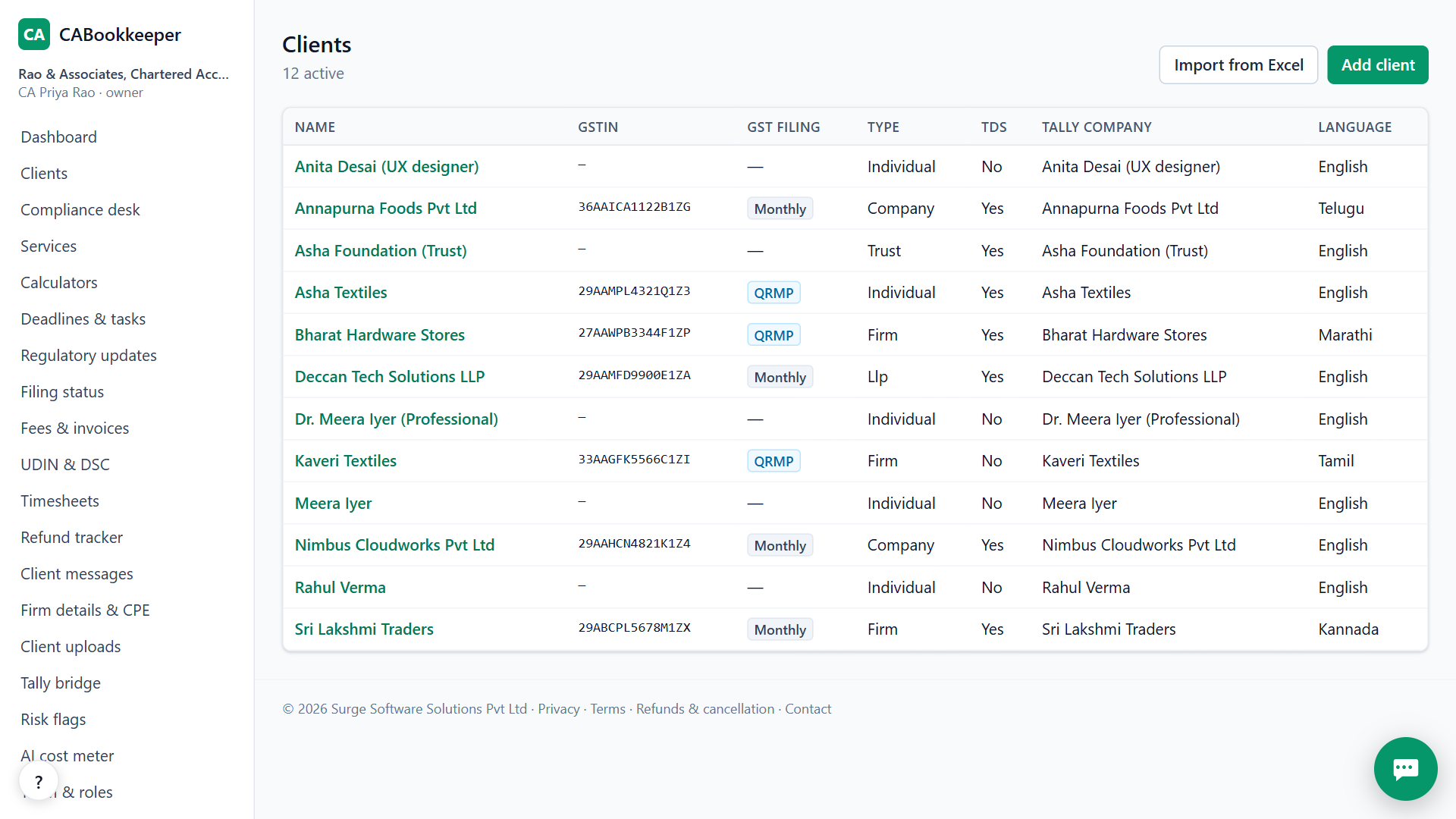
When you add a client with a GSTIN, choose monthly or QRMP. The state and PAN are read from the GSTIN.
2. Check the dashboard
The dashboard lists deadlines coming up, filings waiting for your review, and risk flags in the books.
3. Open the status grid
Practice → Filing status shows GST returns for every client in one grid, so a stuck client is easy to spot.
4. Collect what is missing
From the client's Client chat & docs tab, send a secure upload link by email or your own WhatsApp. If nothing arrives in 3 days it shows as a follow-up.
Monthly vs QRMP dates
Monthly filers get GSTR-1 and GSTR-3B every month. QRMP filers get IFF for the first two months of a quarter, PMT-06 payments, and GSTR-3B on the 22nd or 24th depending on their state. CABookkeeper uses the state code in the GSTIN to pick the right date.
When CABookkeeper is not the right tool
CABookkeeper doesn't log in to the GST portal for you or file returns; you file and record the ARN. If you need a tool that files through a GSP, it isn't this one yet.
Questions
Can I export the list?
Yes. The owner can download a full export of the firm's data from Firm details.
Does it know about rule changes?
Rules in force for 2026-27 are listed with official links, and a daily PIB and RBI feed is filtered to CA topics.
What about GSTR-9?
Annual returns are on the calendar too, along with the turnover exemption rule.
Try it on your own clients.
Free for your first 3 months. Then pay only for what you use, at our cost.
Start free — 3 months on usRelated: Compliance calendar · GSTR-2B reconciliation · CABookkeeper vs Zoho Books · Pricing