Use cases · for cas in small and mid-sized practices tracking dates for 50 to 500 clients
A compliance calendar for every client of your CA firm
Last updated 1 November 2026 · by Venu Gopal Reddy Muvva, founder
CABookkeeper builds a 12-month statutory calendar for each client from a short profile: GST returns, TDS deposits and returns, advance tax, ITR and tax audit, PF, ESI, professional tax, ROC forms and trust filings. Each item becomes a task with a due date, reminder emails go out 3 days before, and the filing status grid shows every client against every return on one screen.
Steps in CABookkeeper
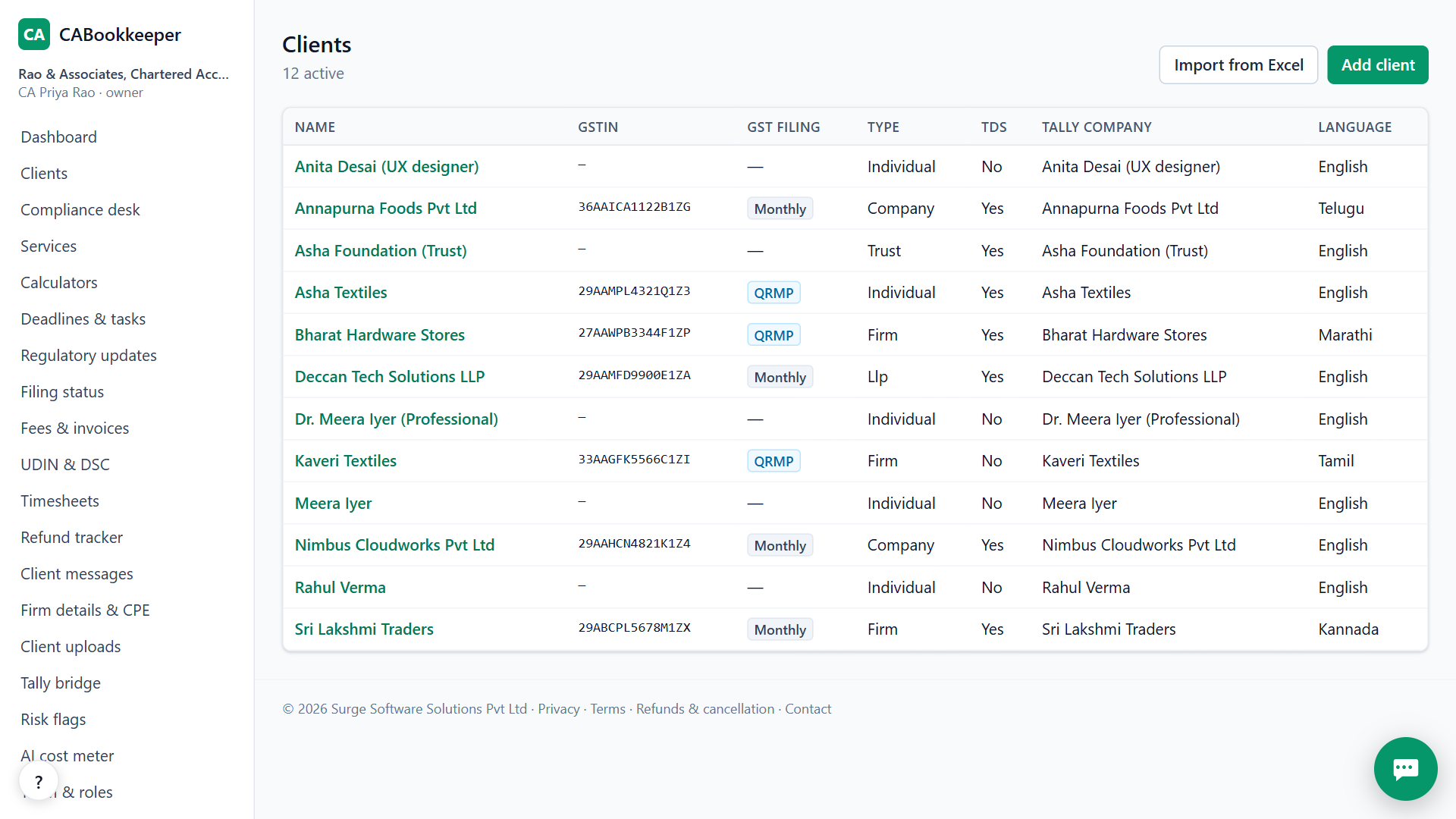
1. Add clients or import them
Add clients one by one, or import your list from Excel or CSV. Every PAN and GSTIN is checked and duplicates are caught before anything is added.
2. Fill the profile
Pick the client type and answer a short profile: GST frequency, TDS, audit, employees, company or LLP. The calendar is built from it.
3. Work the compliance desk
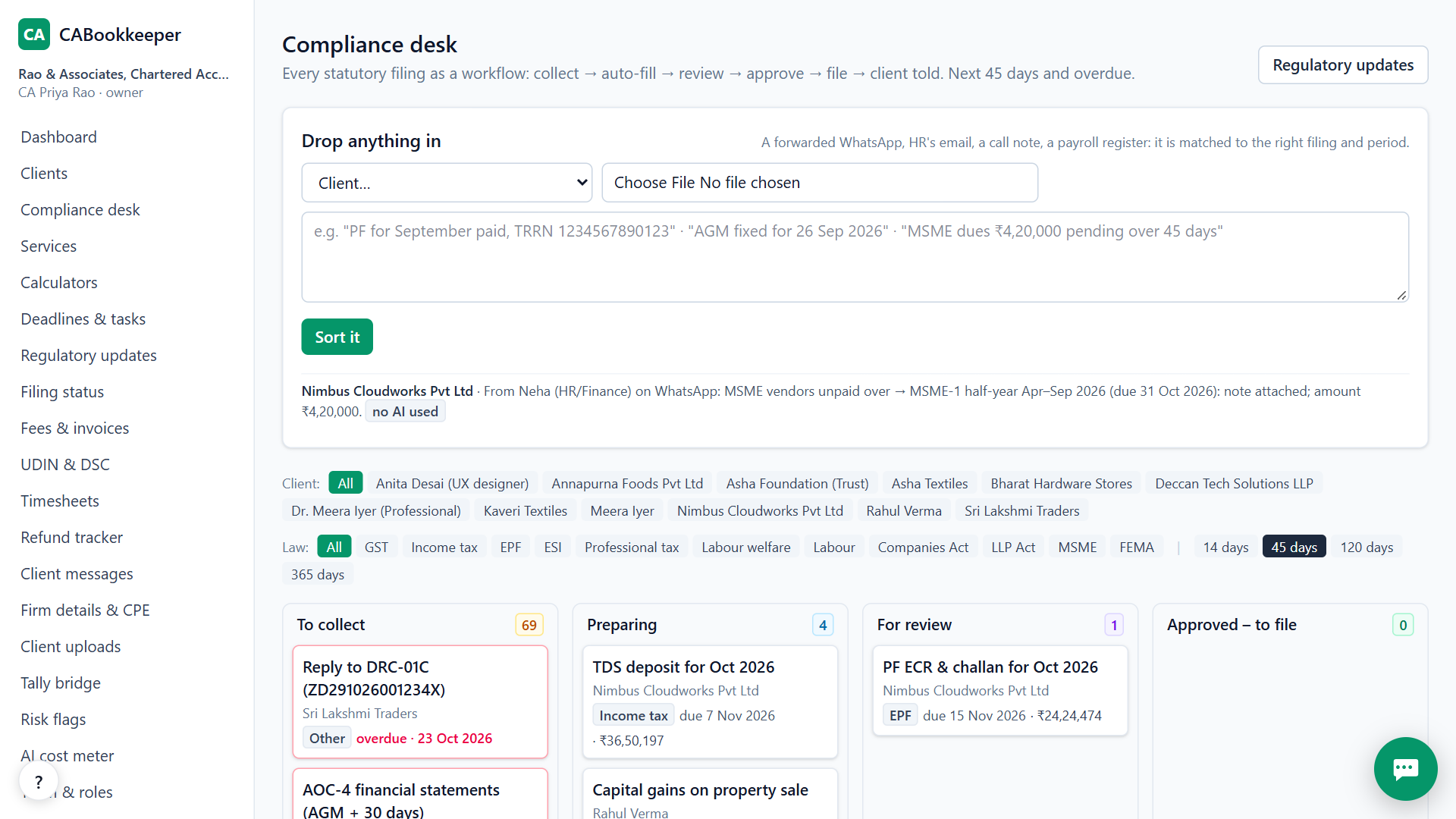
Every filing moves through the same steps: collect documents, fill, review, approve, file, tell the client. Whoever prepared a filing can't approve it.
4. Watch the status grid
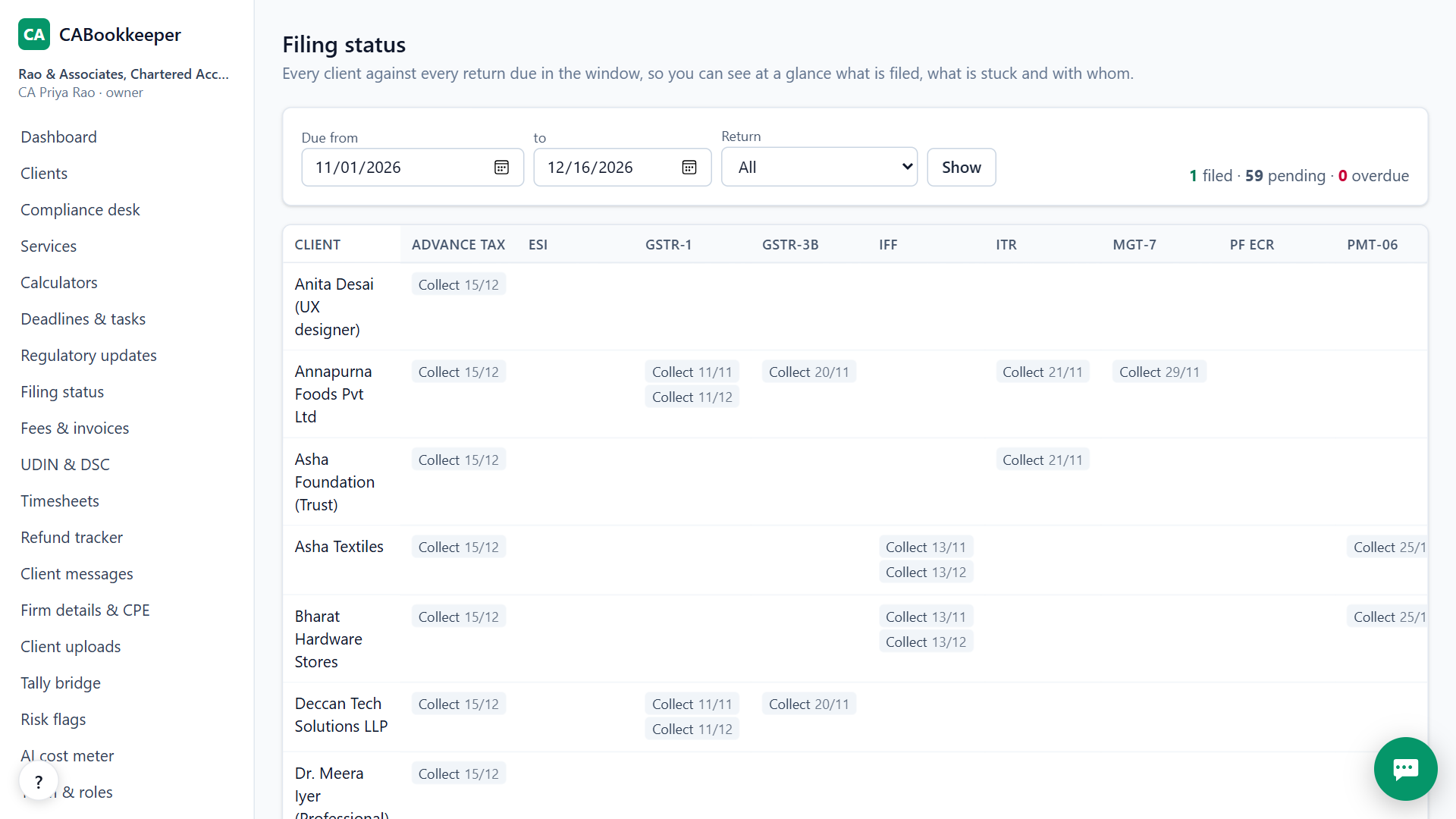
Practice → Filing status shows every client against every return due in the window: filed, approved, in review, preparing or waiting for documents, with overdue items outlined in red.
What is on the calendar
GSTR-1 and GSTR-3B (monthly and QRMP), IFF, PMT-06, GSTR-9; TDS deposits on the 7th and the 24Q, 26Q, 27Q and 27EQ returns; Form 16; advance tax; ITR, tax audit, 3CEB and SFT; PF ECR, ESI, professional tax (Karnataka, Maharashtra, Telangana, West Bengal; Tamil Nadu half-yearly), labour welfare fund; AGM, ADT-1, AOC-4, MGT-7, DIR-3 KYC, DPT-3, MSME-1; LLP Form 11 and 8; trust 10B audit and 10BD.
Dates follow the rules for tax year 2026-27, and the regulatory updates page lists the changes with official links.
When CABookkeeper is not the right tool
If you only need a reminder list for a handful of clients, a spreadsheet may be enough. CABookkeeper doesn't file on the government portals; it prepares the work and records the acknowledgement you get after filing.
Questions
Who gets the reminders?
Due-date reminder emails go to the firm's users 3 days before. Clients get document requests by email, or by your own WhatsApp in one click.
Can staff see every client?
No. Staff see only the clients assigned to them; managers and owners see all.
Does it handle one-off work?
Yes. Start any of 65 services, or begin from a life event such as selling a house, moving abroad or getting a notice.
Try it on your own clients.
Free for your first 3 months. Then pay only for what you use, at our cost.
Start free — 3 months on usRelated: PF and ESI from payroll · GST due dates, all clients · CABookkeeper vs Suvit / TaxOne · Pricing